
DWELL BEYOND THE ORDINARY

An Lcd Bluetooth Speaker combines wireless audio with a small visual display. It can play music, podcasts, alarms, or voice instructions without a traditional audio cable. The LCD panel may show track names, volume levels, battery status, time, or Bluetooth connection details. This makes the device easier to monitor in a kitchen, bedroom, office, or outdoor setting.
Its operation begins when a phone, tablet, or computer sends digital audio through Bluetooth. Inside the speaker, a Bluetooth chip receives and decodes that signal. An amplifier then increases the audio power before driving the speaker unit. At the same time, a control board updates the LCD screen with useful information. Pairing usually requires activating Bluetooth, selecting the speaker’s name, and confirming the connection. It sounds simple.
In practical use, performance depends on several details. Bluetooth range may decrease through walls, metal furniture, or heavy wireless interference. Battery life also changes with volume, screen brightness, and display activity. A larger LCD does not automatically mean better sound quality. Speaker size, amplifier design, enclosure structure, and tuning matter more. Some product descriptions can oversimplify these differences, so specifications deserve careful checking. Look for supported Bluetooth versions, codec information, charging standards, display readability, and measured battery claims. Personal testing remains valuable because advertised results may use ideal conditions. An Lcd Bluetooth Speaker is convenient, but it is not perfect. Its real strength is combining clear status information with cable-free listening in one compact device.
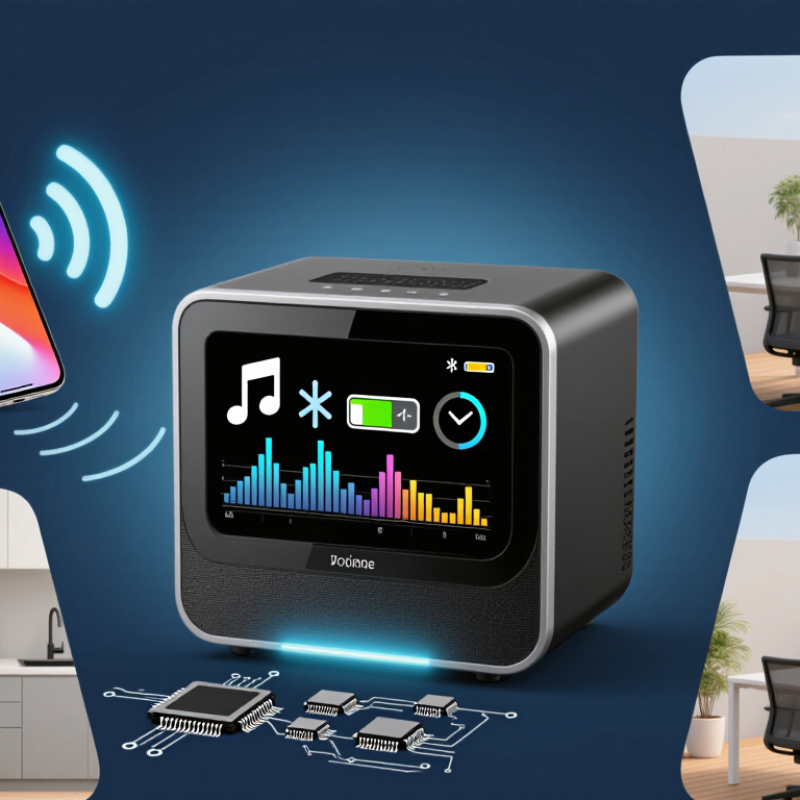
An LCD Bluetooth speaker is a portable audio device with a small liquid-crystal display. It plays sound wirelessly through Bluetooth and shows useful information. The screen may display volume, battery level, time, connection status, or playback mode. Its display is usually controlled by physical buttons, a remote, or a companion mobile application.
Inside, the speaker receives compressed audio data from a paired phone, tablet, or computer. A Bluetooth receiver converts that signal into digital audio. An amplifier then increases the signal before the driver turns it into sound waves. The LCD panel works separately, using simple icons or text to report device conditions. Some models also include alarms, radio functions, USB charging, or hands-free calling. Features vary considerably.
Tips: Check the screen from your normal listening position. A bright display can be useful, but it may disturb sleep. Keep the speaker within a clear Bluetooth range for steadier playback. Walls, metal surfaces, and crowded wireless areas can weaken the connection. Test the buttons before buying. Tiny controls look neat, yet they can feel frustrating. Battery readings are not always exact, especially at low power. I have found that advertised playtime often changes with volume and display brightness. Sound quality also depends on room placement, not only technical specifications. A speaker beside a wall may produce stronger bass, but it can sound less balanced.
| Data Dimension | Typical Information | How It Works or Why It Matters |
|---|---|---|
| Definition | A wireless speaker that receives digital audio through Bluetooth and uses a liquid-crystal display (LCD) to show information. | The speaker combines an audio playback system with a small visual interface for status, time, playback, or settings. |
| Primary Audio Source | Bluetooth-enabled phones, tablets, computers, and other compatible source devices. | The source device encodes and transmits audio wirelessly; the speaker receives, decodes, amplifies, and plays it. |
| Bluetooth Function | Wireless pairing, audio streaming, basic playback control, and sometimes hands-free calling. | Bluetooth removes the need for an audio cable between the source device and the speaker, although the exact features depend on the supported profiles. |
| LCD Display | A flat-panel display that may show clock information, volume, track status, input mode, battery level, or alarm settings. | The LCD uses electronically controlled liquid crystals and a backlight or reflective layer to make characters and symbols visible. |
| Audio Conversion | Digital audio is converted into an analog electrical signal before amplification. | A digital-to-analog converter and amplifier prepare the signal to drive the speaker driver. |
| Speaker Driver | Usually one or more compact dynamic drivers, sometimes supported by a passive radiator or bass-reflex enclosure. | The driver converts amplified electrical energy into air movement, producing audible sound. |
| Power Options | Rechargeable battery, USB power, or household AC power, depending on the design. | Battery-powered models provide portability, while AC-powered models are suited to fixed locations such as desks or bedrooms. |
| Typical Battery Range | Approximately 4–20 hours for many portable designs, depending on capacity, volume, display brightness, and features. | Higher volume and brighter or continuously active displays generally consume more energy. |
| Common Auxiliary Inputs | A 3.5 mm analog audio input, USB port, memory-card slot, or broadcast-radio tuner may be included. | These options allow playback from wired sources or local media when Bluetooth is unavailable or unnecessary. |
| Controls | Physical buttons, rotary controls, remote control, or app-based controls may be provided. | Controls can manage volume, pairing, playback, input selection, alarms, and display settings. |
| Hands-Free Calling | Some models include a built-in microphone and support call answering through the speaker. | The microphone captures the user’s voice while the speaker reproduces the incoming call audio. |
| Wireless Range | Often around 10 metres in open indoor conditions, but the actual range varies with Bluetooth class, walls, interference, and device placement. | Obstacles and competing wireless signals can reduce connection stability and operating distance. |
| LCD Visibility | Visibility depends on screen size, viewing angle, contrast, backlight brightness, and ambient light. | A brighter backlight improves readability but can increase power consumption. |
| Common Use Cases | Bedrooms, kitchens, offices, travel, outdoor gatherings, bedside alarms, and compact entertainment systems. | The combination of wireless audio and visible status information makes the device useful for both entertainment and everyday routines. |
| Key Advantages | Cable-free playback, compact design, visible operating information, simple controls, and flexible placement. | It provides more immediate feedback than a speaker without a display while remaining simpler than a full audio system. |
“I went to the woods because I wished to live deliberately, to front only the essential facts of life, and see if I could not learn what it had to teach, and not, when I came to die, discover that I had not lived.”
- Henry David Thoreau